

Trade services: providers, offers and service orders
Asking a C&F agent, freight forwarder, inspection or certification company for a service, accepting their price offer and running the order.
Last checked: 1 October 2026
এই গাইডটি বাংলায় পড়ুনContents
Finding a provider and asking for a service
- Open Find providers in the menu (the page is titled Trade Services). Choose the kind of service in the Service list.
- Only companies whose registration documents Exportain has checked are listed.
- Press Request a service next to a provider, write clearly what you need (which product, how much, when, which port) and press Send request.
- The provider answers in your Messages.
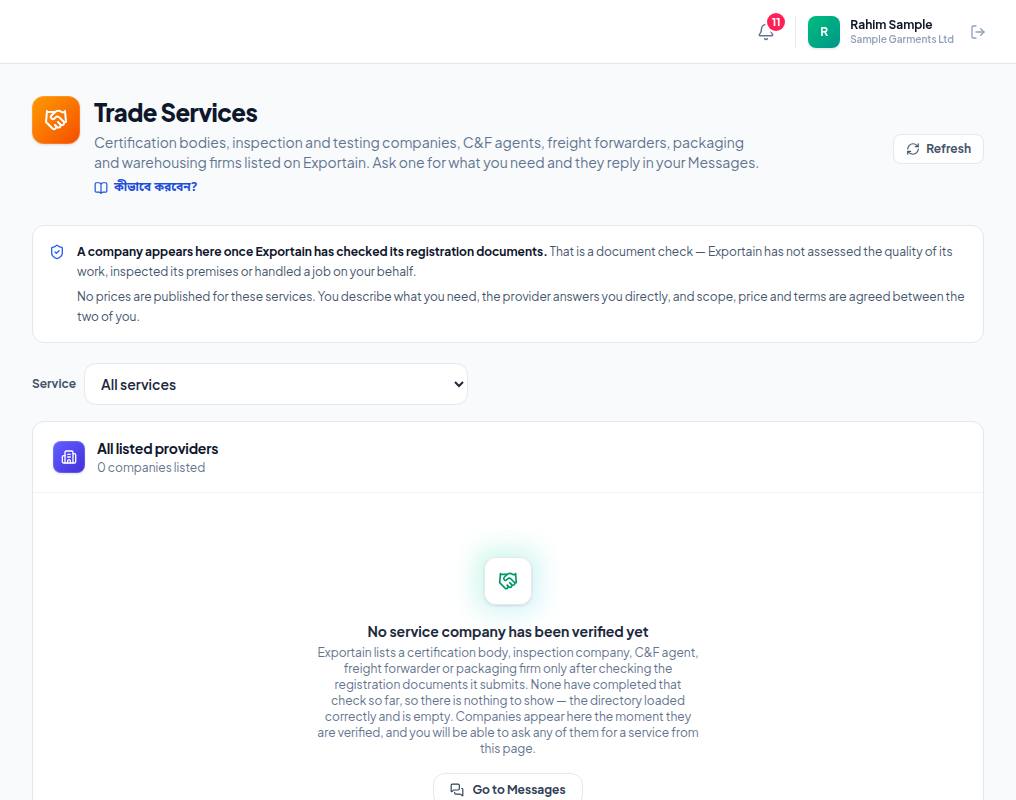
- 1. Read the rule: only companies whose registration documents Exportain has checked are listed. It is not a promise about the quality of their work.
- 2. Service — choose the service you need (freight, inspection, C&F and so on).
- 3. All listed providers — the list. It stays empty until a provider has finished verification, as in this picture.
Accepting a service offer
The provider sets a price and sends a firm offer. It shows on Offers received in the menu (the page is titled Service Offers). An expired offer can no longer be accepted; when a new offer arrives the old one stays as Replaced.
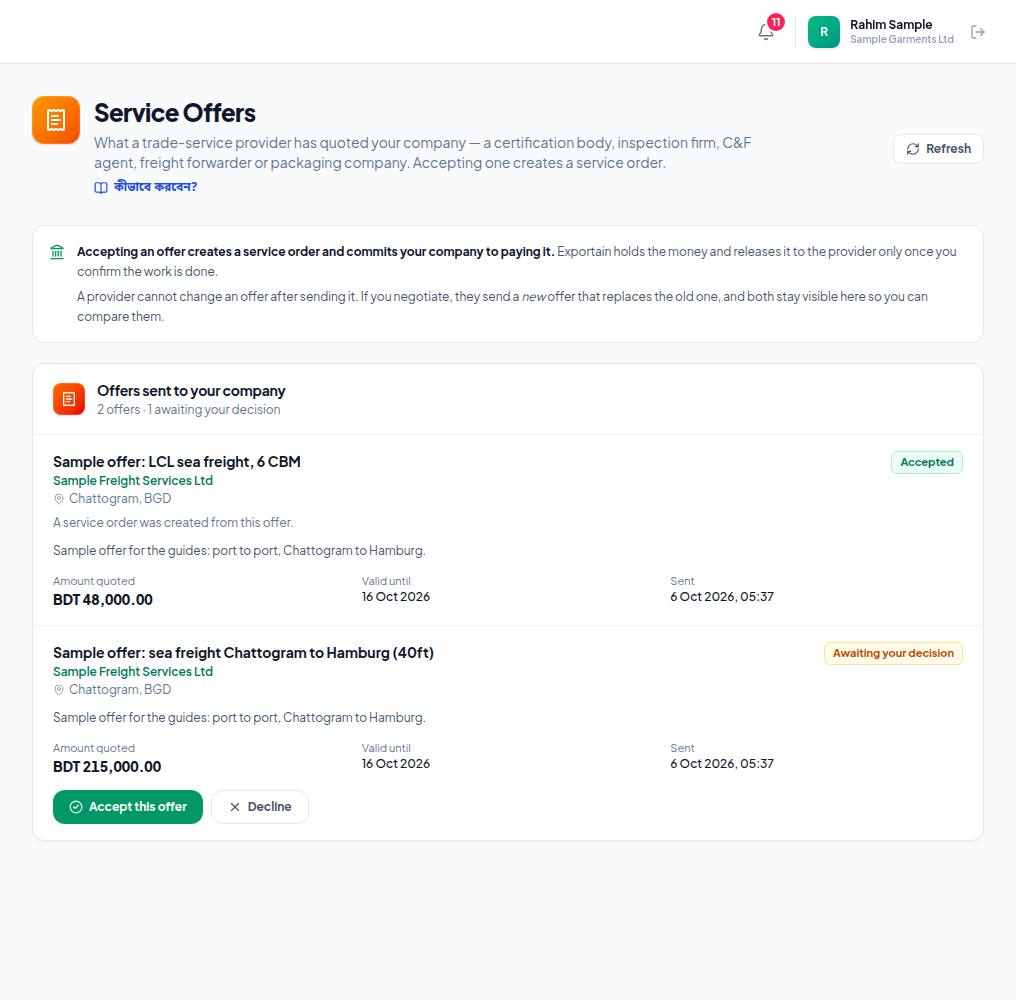
- 1. Offers sent to your company — how many offers, and how many await your decision (Awaiting your decision).
- 2. Amount quoted — the provider's price, with Valid until and when it was sent.
- 3. Accept this offer — creates a service order and commits your company to paying.
- 4. Decline — if you don't want it. The provider can send a new price.
Service orders
Accepting an offer creates an order on the Service orders page. When the provider says the work is done you confirm it, or if there is a problem you open a dispute with Raise a problem with this work — see Disputes and evidence.
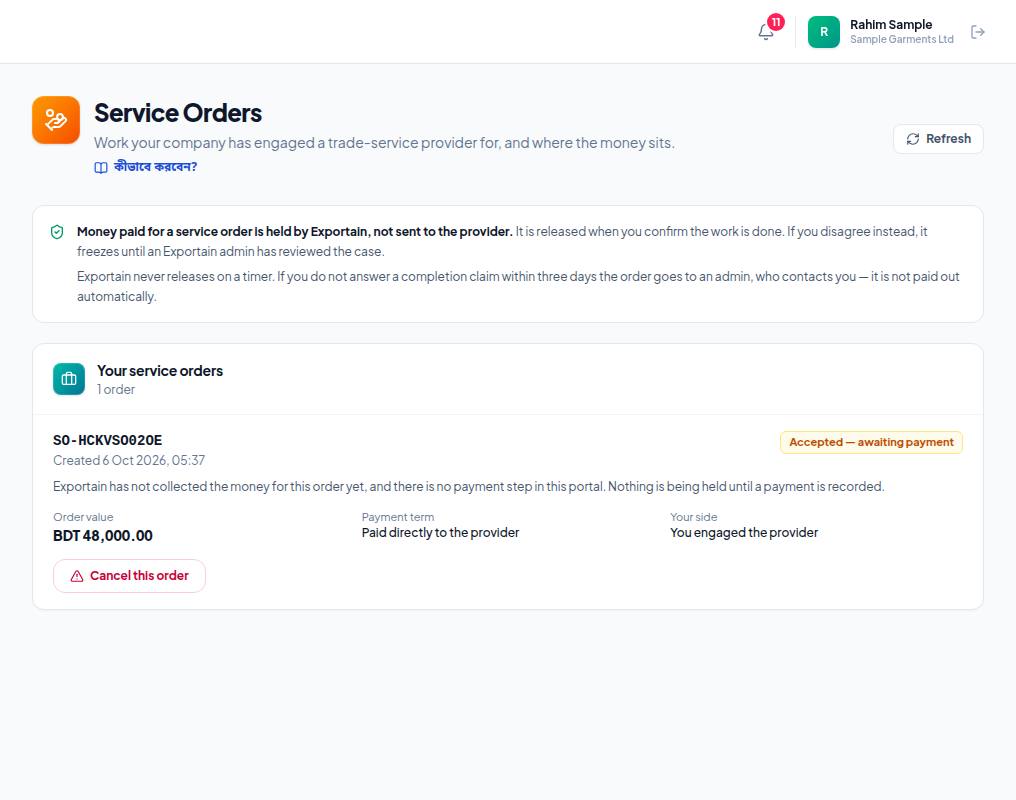
- 1. The note at the top: money paid online is held by Exportain and reaches the provider only when you confirm the work is done. Exportain never releases on a timer.
- 2. The order number (SO-…) and when it was created.
- 3. The status — for example Accepted — awaiting payment. On a directly paid order the card says Exportain is holding nothing.
- 4. Cancel this order — cancel before the work starts.
Frequently asked questions (FAQ)
Why is the provider list empty?
Only verified companies are shown. If nobody in a category has finished verification yet, the list stays empty.